Scrape & export Amazon reviews to Excel/JSON | Bulk ASIN import, 23 marketplaces, 5,000+ reviews per product
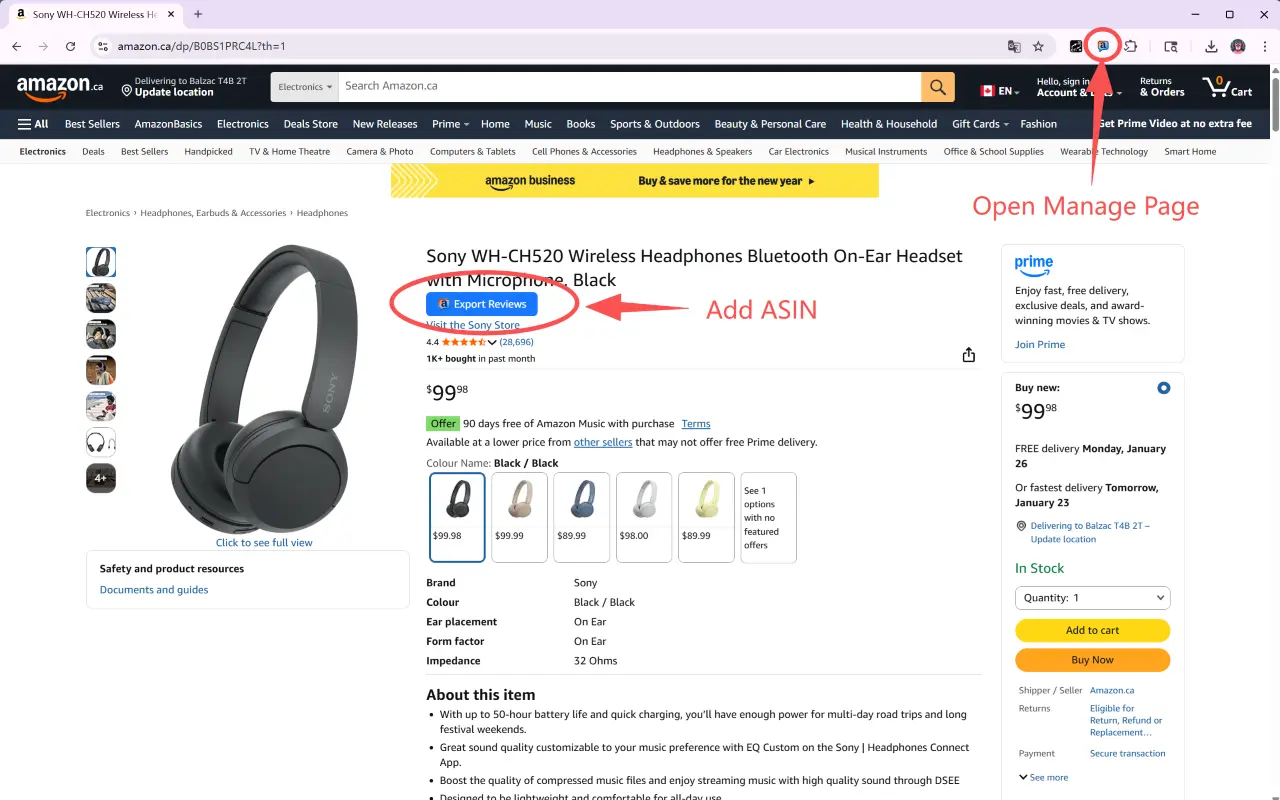
Amazon Reviews Exporter is a free-to-install Chrome extension built for Amazon sellers, product researchers, and e-commerce operators. Click the “Export Reviews” button on any product page, or paste a list of ASINs, and the extension queues, scrapes, and exports reviews to Excel or JSON — ready for competitor analysis, product research, listing optimization, and voice-of-customer insights.
Amazon only shows about 10 pages (~100 reviews) per product. The extension combines multiple filter conditions, paginates, and auto-deduplicates to retrieve far more reviews — popular listings can yield 5,000+.
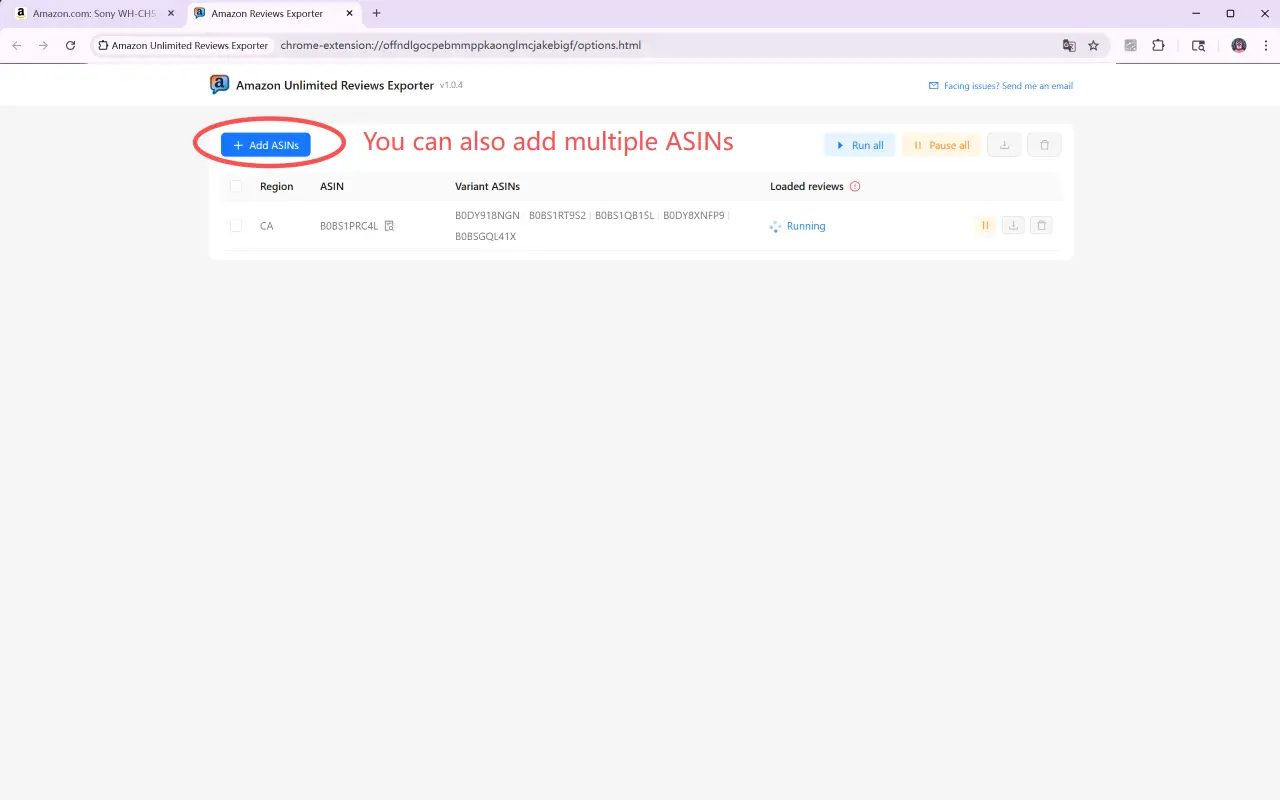
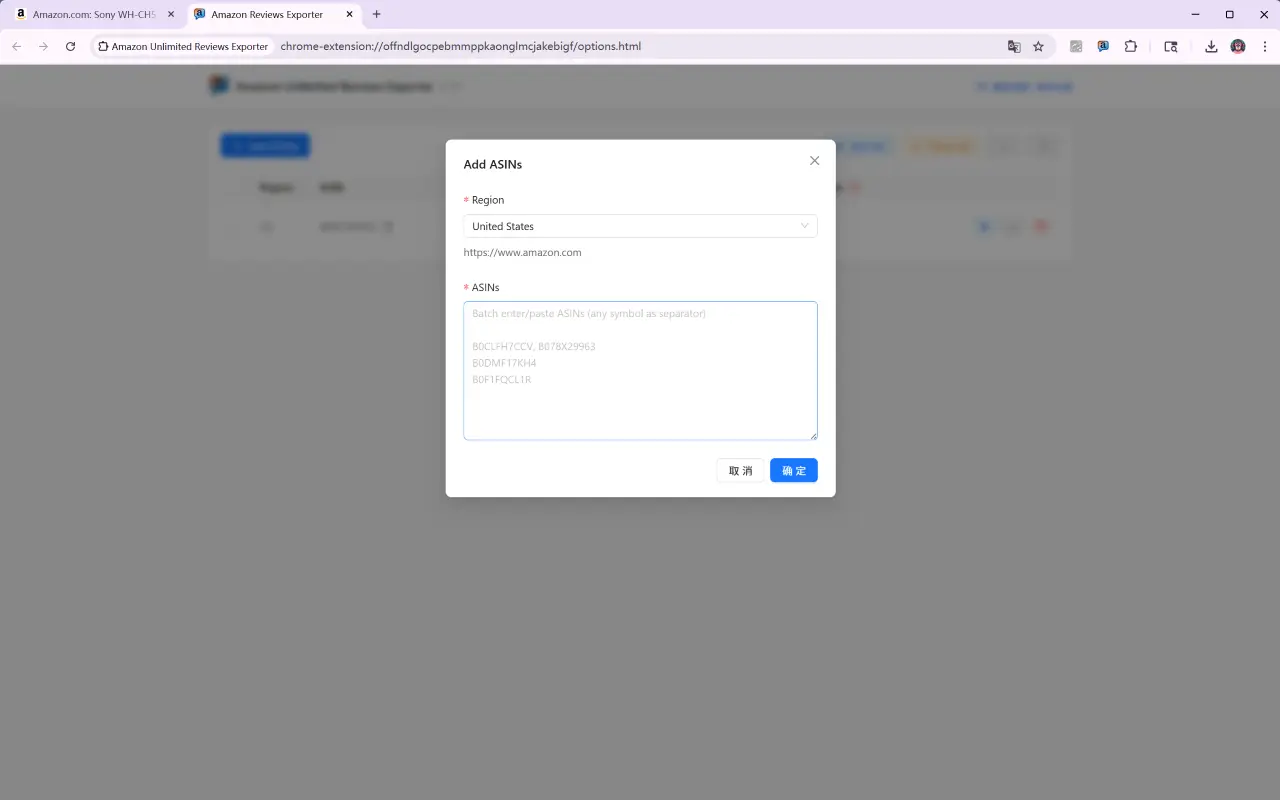
Paste many ASINs at once (separated by commas, spaces, or line breaks). Duplicates are removed automatically and every ASIN is queued and processed one after another, no need to watch the screen.
Works on Amazon US, UK, DE, FR, IT, ES, NL, BE, SE, PL, TR, CA, MX, BR, JP, CN, IN, SG, AU, AE, SA, EG, and ZA — just pick the region from a dropdown.
Detects variant ASINs (color, size, etc.) of the same product and includes them in the crawl, so you never miss reviews spread across variations.
An “Export Reviews” button is injected into product and review pages. One click opens the dashboard and starts scraping the current ASIN plus its variants — zero setup.
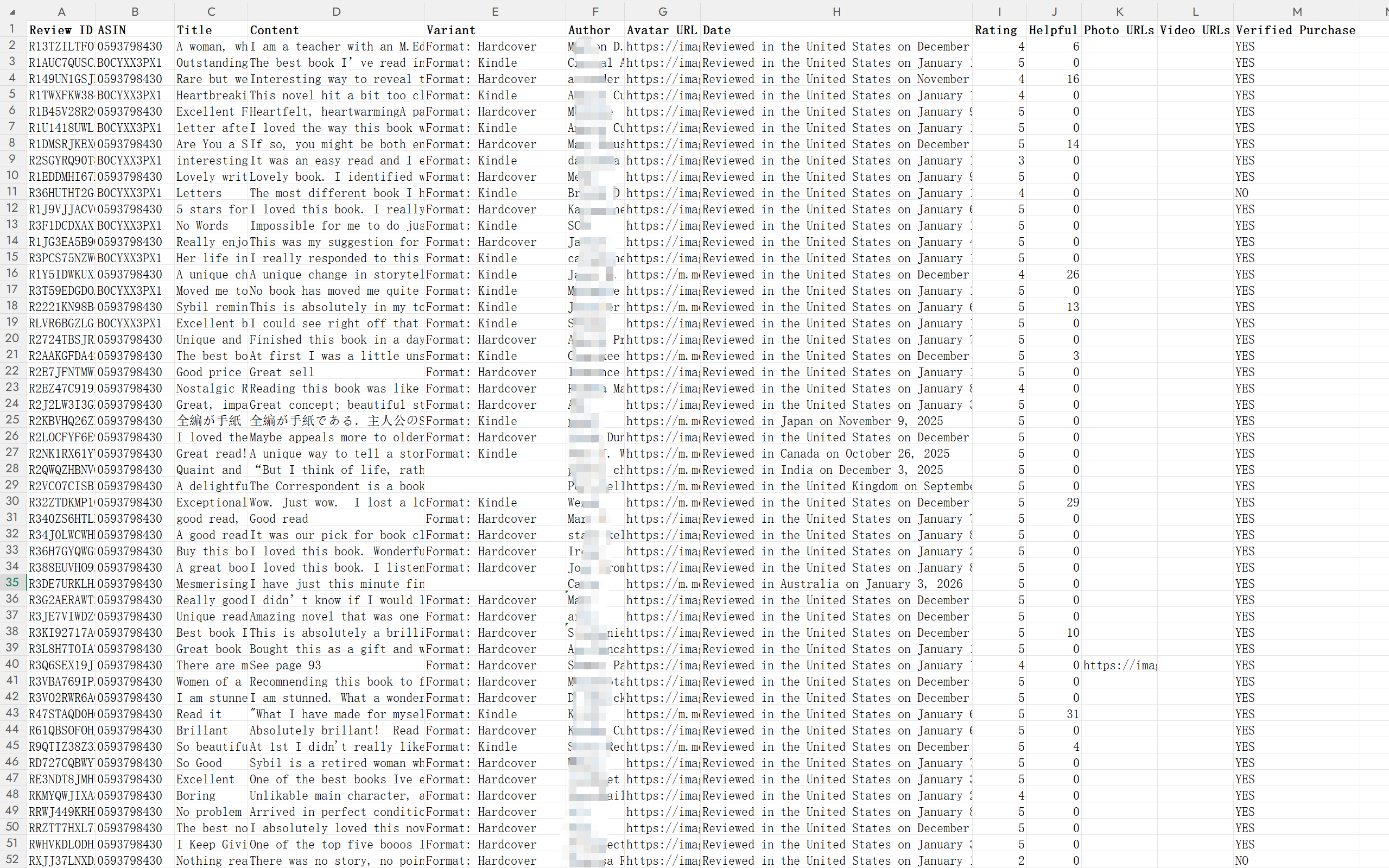
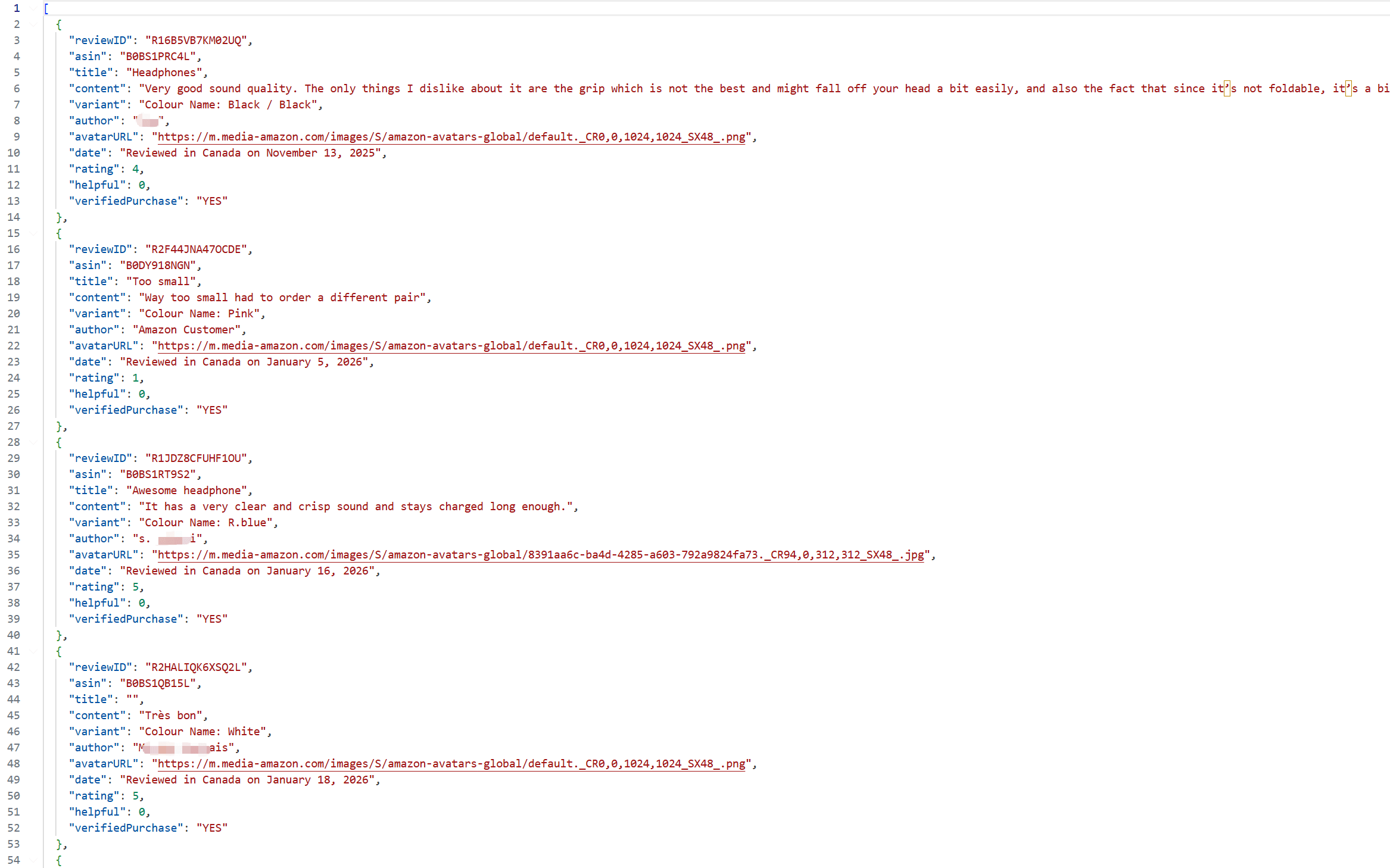
Exports Review ID, ASIN, title, content, variant, author, avatar URL, date, rating, helpful votes, customer photo URLs (high resolution), video URLs, and Verified Purchase status.
Export as XLSX or JSON, and select multiple ASINs to merge them into a single file — ready for pivot tables, translation, or AI analysis.
Run, pause, resume, restart, run all, or bulk delete. See live review counts, progress, and clear error reasons (not signed in, account restricted, invalid ASIN).
Amazon only displays about 10 pages (~100 reviews) per product. The extension combines multiple filter conditions, paginates, and deduplicates to retrieve as many reviews as possible. In practice, popular listings can return 5,000+ reviews, depending on the product's variants and total review volume.
It works across 23 Amazon marketplaces: the US, UK, Germany, France, Italy, Spain, Netherlands, Belgium, Sweden, Poland, Turkey, Canada, Mexico, Brazil, Japan, China, India, Singapore, Australia, UAE, Saudi Arabia, Egypt, and South Africa.
It exports Review ID, ASIN, title, content, variant, author, avatar URL, date, rating, helpful votes, customer photo and video URLs, and Verified Purchase status — as XLSX or JSON. You can select multiple ASINs and merge them into one file.
No sign-up or login with us is required to use the free plan. Review data is stored only in your browser's local storage and is never uploaded to any server; export files download directly to your device. You do need to be signed in to your own Amazon account in the browser, since the extension reads public review pages within your existing session.
The extension only reads publicly visible review pages. Heavy continuous scraping can trigger Amazon's rate limits, so we recommend staying under roughly 1,000 reviews per account per day, or rotating between accounts and marketplaces.
Please keep it open. Once a task starts, the extension automatically opens an Amazon reviews tab in the background (or runs inside an Amazon tab you already have open) and turns pages automatically using your own logged-in session — exactly like browsing reviews yourself, except the page-turning is automated. It only reads publicly visible content. Leave the tab in the background and keep using your computer as usual (the extension prevents system sleep); just don't close the tab or sign out of Amazon mid-run. If you close it accidentally, reviews already fetched are saved locally in real time — just run the task again to continue (duplicates are removed automatically).
Whether you're doing competitor research, optimizing a listing, or analyzing voice-of-customer feedback, Amazon Reviews Exporter helps you collect Amazon review data fast. Install it now and let data drive your decisions.