Scrape & export Facebook posts to Excel/JSON | Groups, Pages, break-point resume, local-only data
Facebook Posts Exporter is a free-to-install Chrome extension that works right inside Facebook. Open a group, profile/Page, hit Run, and the extension auto-paginates, deduplicates, and exports posts to Excel or JSON — ready for market research, community management, and content analysis. No link copying, no uploads, and all data stays in your browser.
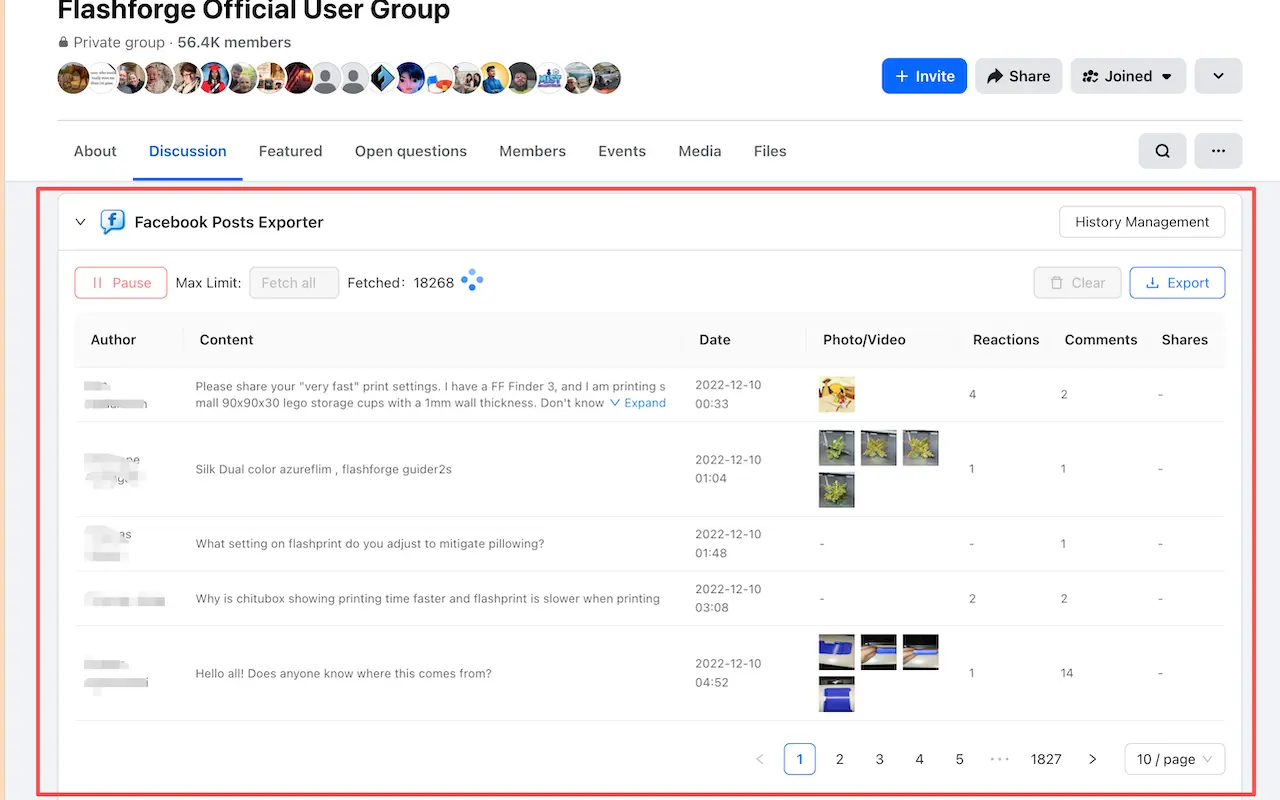
Open any Facebook group, profile, Page and the scraping panel appears at the top of the page. One click starts collecting — no third-party dashboard, no copying and pasting URLs.
One extension covers the two most common Facebook scraping needs: group posts and profile/Page (timeline) posts.
The pagination cursor is saved per group/profile. Pause, close the tab, come back the next day — click continue and collection picks up exactly where it stopped, with no duplicate posts.
Set a maximum number of posts for the run, or leave it empty to fetch everything. The fetched count updates in real time and you can pause or resume at any moment.
Intelligently paces page navigation to simulate real browsing patterns, helping minimize the chance of triggering Facebook's rate limits.
Attachment thumbnails appear directly in the results table — click to zoom images or play videos inline, without opening each post one by one.
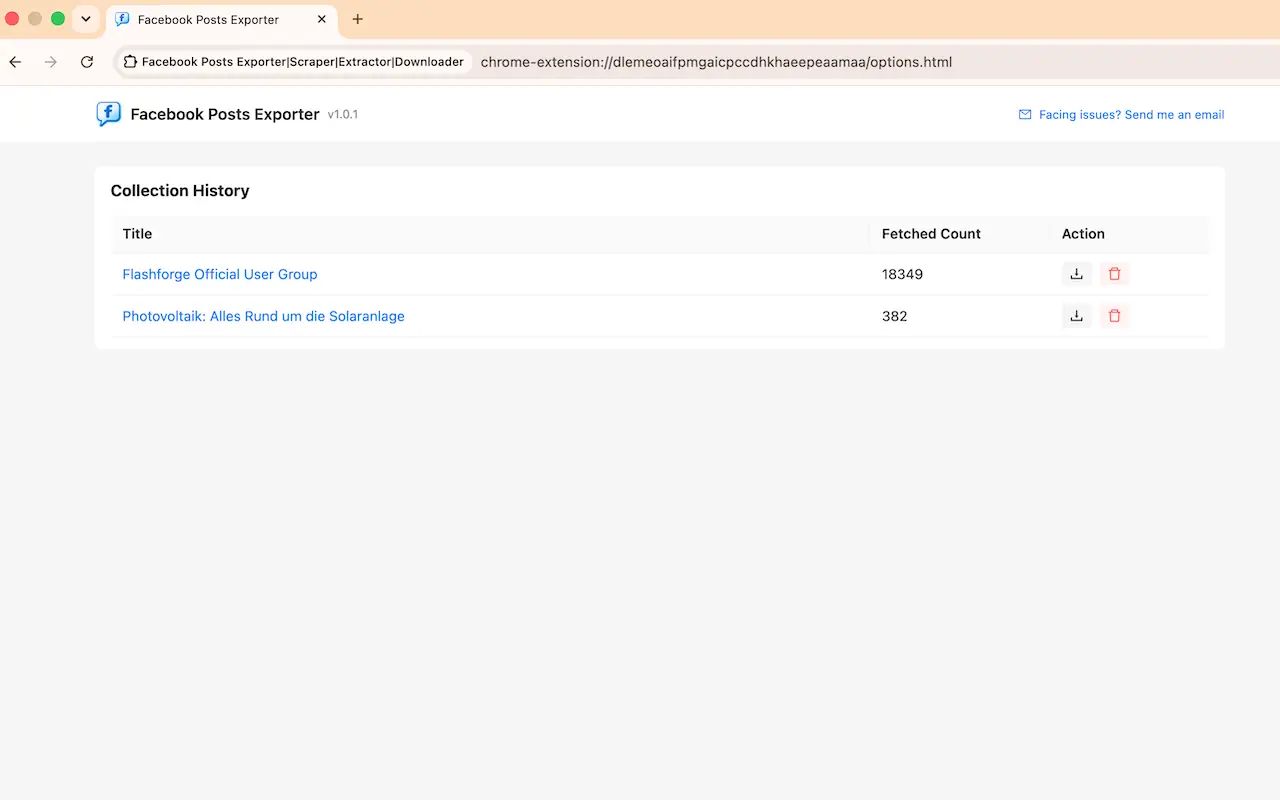
A built-in history page groups results by source with post counts, so you can re-export or delete any dataset later. Collected posts are stored only in your browser's local storage and never uploaded to our servers.
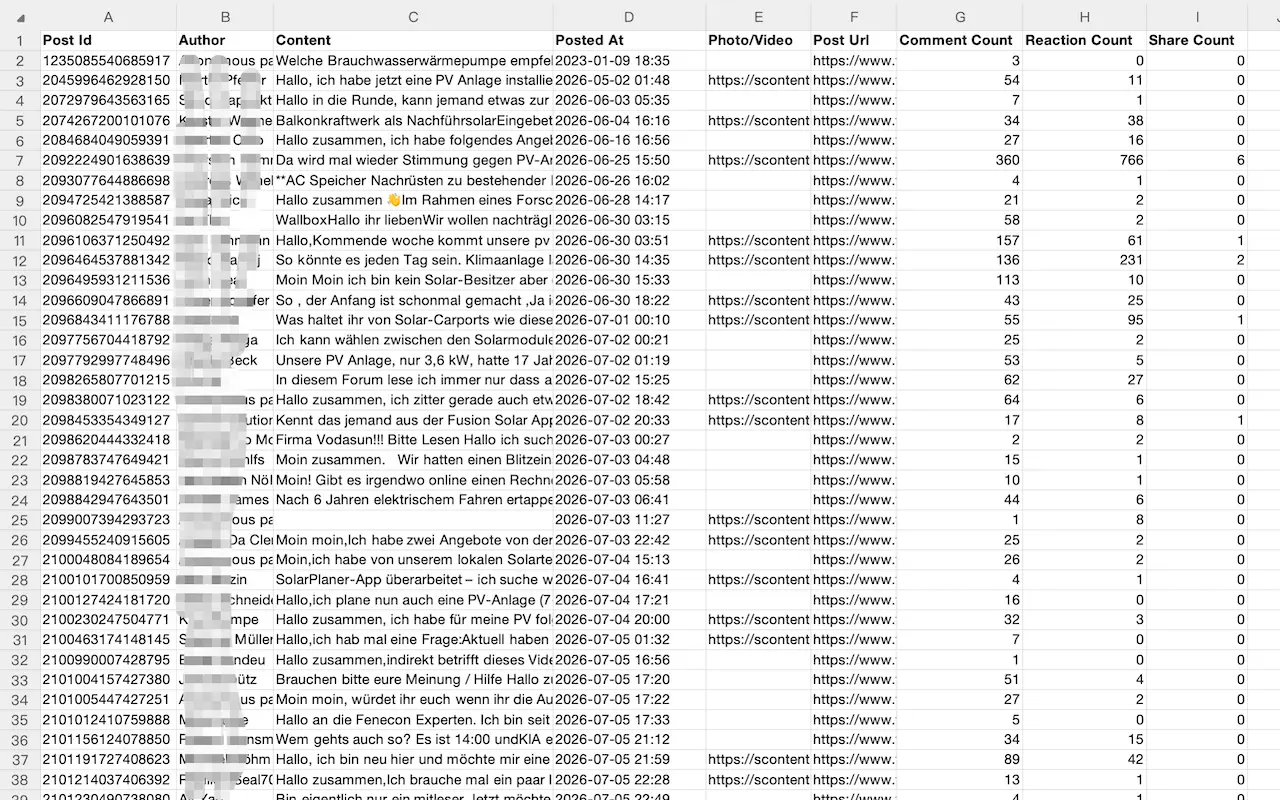
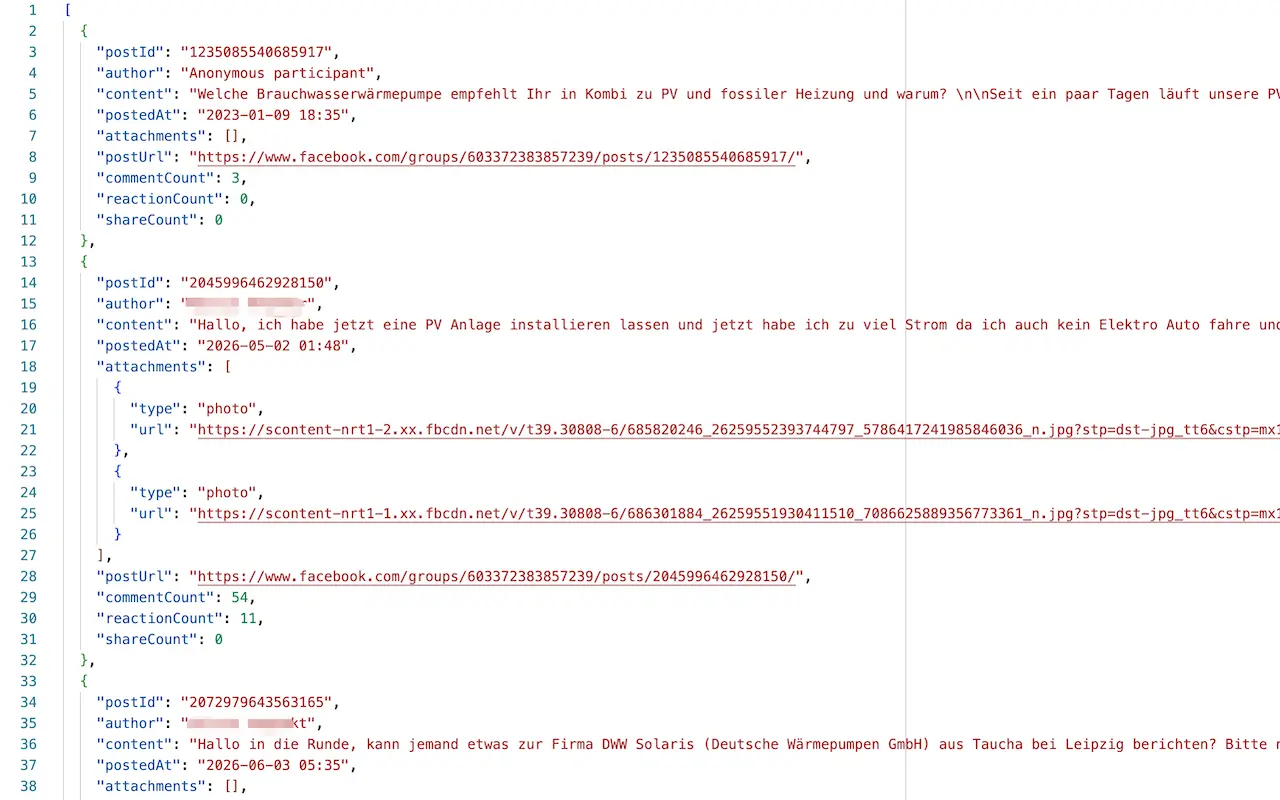
Each export carries complete fields and is available as XLSX or JSON, ready for spreadsheets, translation, or analysis:
It works on Facebook Groups and personal profiles/Public Pages (timelines). The extension only collects public content that is already visible to your own logged-in account — it does not bypass any access restrictions.
Nothing is lost. The pagination position is saved per group/profile, so you can pause, close the tab, and continue later from exactly where it stopped. Existing posts are not scraped twice, so you can keep going until all public posts are collected.
Each export includes post ID, author name, post content, posted date/time, photo & video URLs, post URL, reaction count, comment count, and share count. You can download the data as XLSX (Excel) or JSON.
Using the free plan needs no sign-up, and the extension never posts, likes, or comments on your behalf. Collected posts are stored only in your browser's local storage and are never uploaded to our servers; you can clear the data anytime.
The extension paces pagination to mimic real browsing to lower rate-limit risk, but you should still keep request volume reasonable and follow Facebook's Terms of Service. This extension is an independent tool and is not affiliated with, endorsed by, or sponsored by Facebook or Meta.
Whether you're researching a market, managing a community, or sourcing products, Facebook Posts Exporter turns public posts into structured Excel/JSON data in a few clicks. Install it now and build your own social-media dataset.