Scrape & export TikTok comments and replies to Excel/JSON | Bulk video links, full reply threads, break-point resume
TikTok Comments Exporter is a free-to-install Chrome extension. Paste one or more TikTok video / photo links into the panel and hit Run — the extension opens TikTok in the background and turns pages automatically with your own logged-in session, exactly like browsing comments yourself, reading only publicly visible content. When it finishes, select multiple videos and export everything to Excel or JSON for product research, competitor analysis, voice-of-customer insights, and AI analysis.
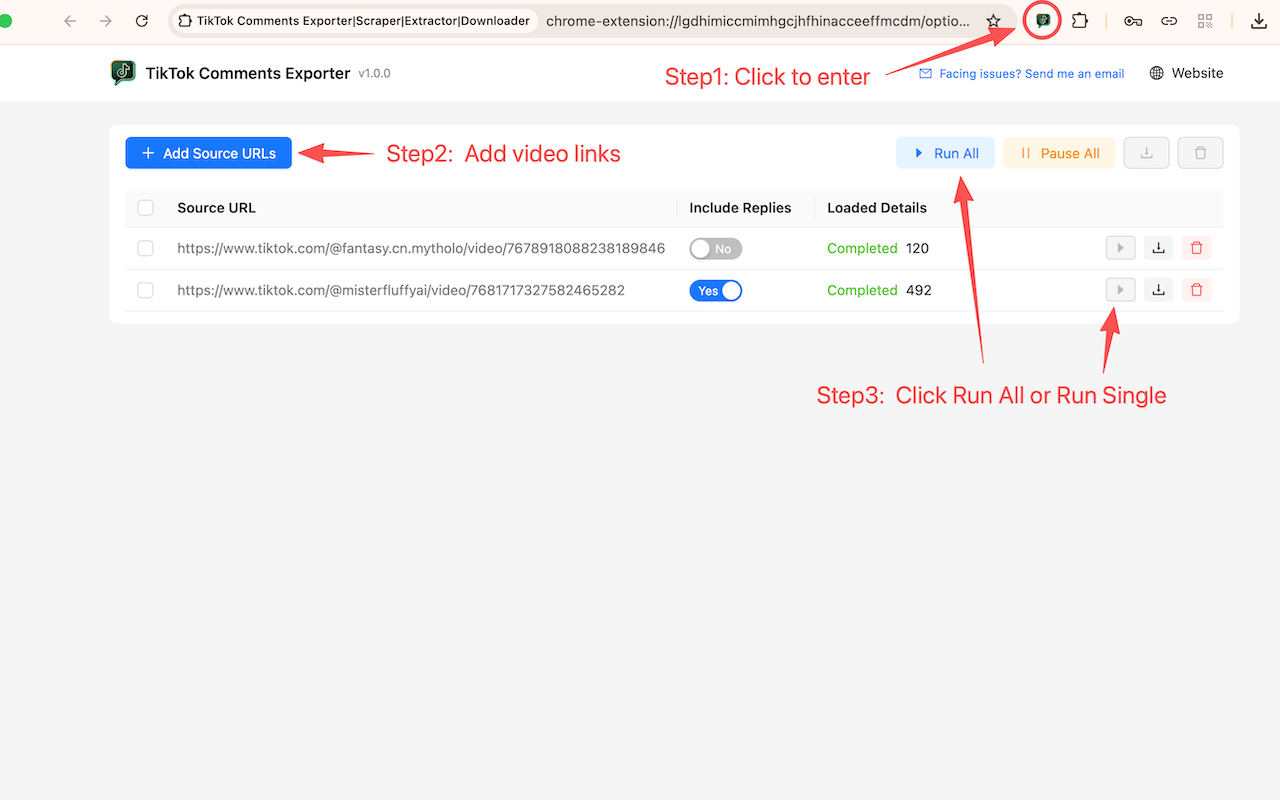
Paste many TikTok video / photo (Photo mode) links at once, one per line. The extension validates the format, removes duplicates, adds them to the queue, and processes them one after another — no need to watch the screen.
Enable “Include Comment Replies” to collect not only top-level comments but also every nested reply underneath each one. The ReplyID / ReplyToReplyID fields keep the threading intact, so you can always tell who replied to whom.
Progress and fetched comments are saved to your browser in real time. Pause, resume, or restart freely; even if you close the tab or the task is interrupted, nothing is lost — run it again to continue with automatic de-duplication.
Start, pause, resume, restart, run all, or bulk delete. Each video shows its live fetched count, total comment count, and clear error reasons (not signed in, page not loaded, invalid link).
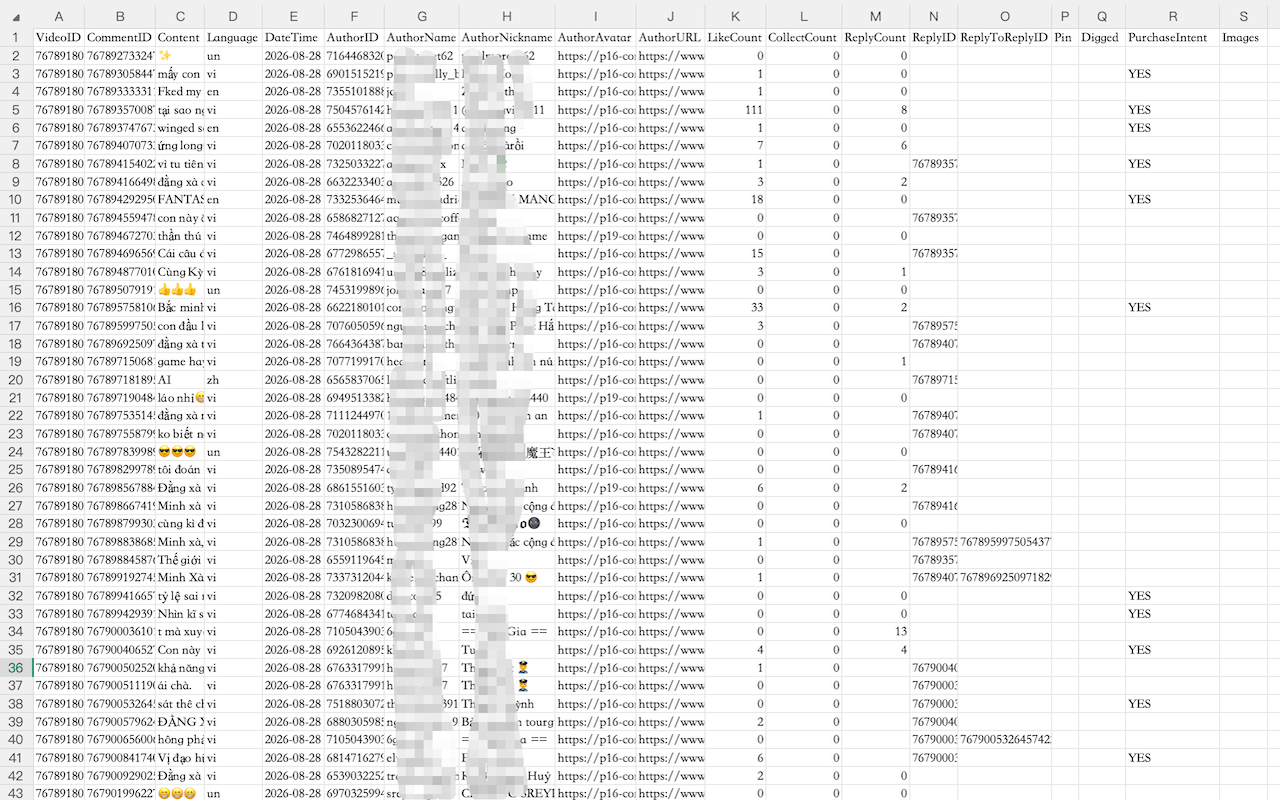
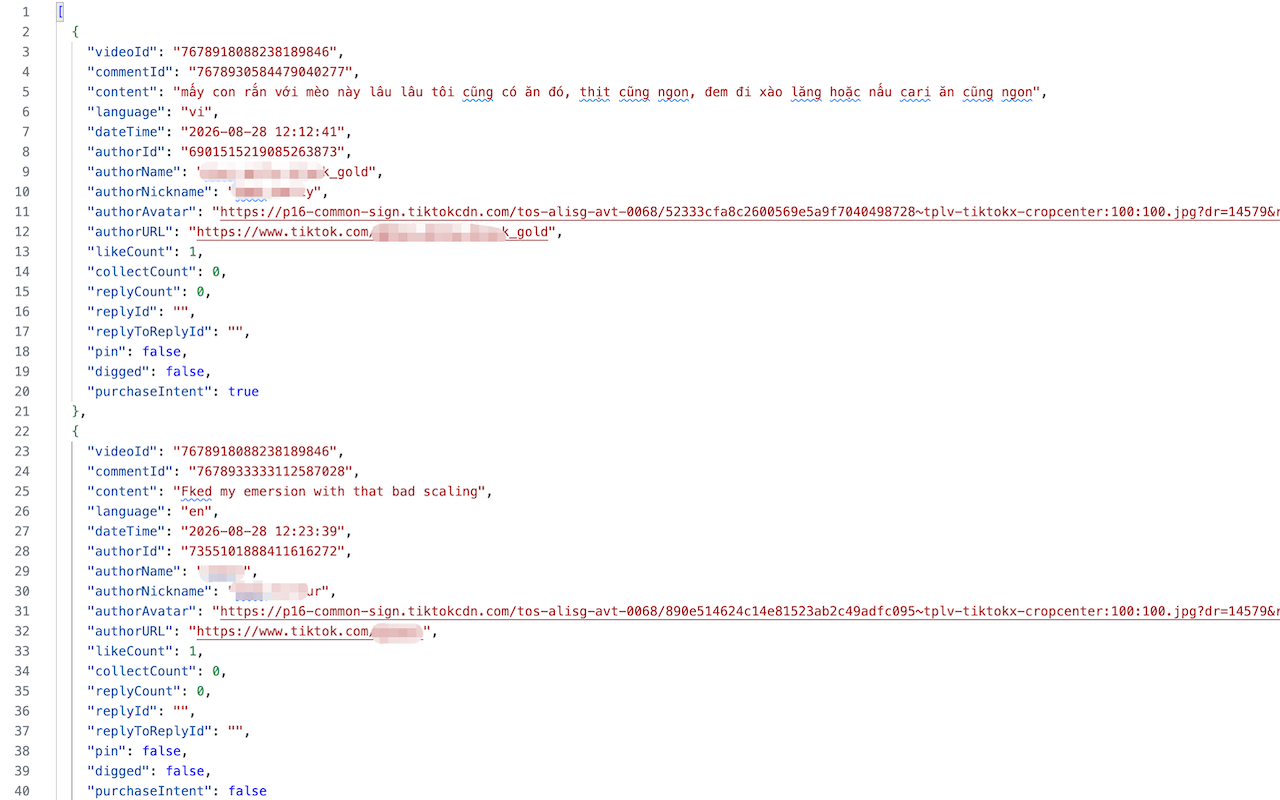
Exports video ID, comment ID, content, language, publish time, author ID, username, nickname, avatar, profile URL, like count, collect count, reply count, ReplyID, ReplyToReplyID, whether pinned/liked by the creator, high purchase-intent flag, and comment image URLs.
Export as XLSX or JSON, and select multiple videos to merge them into a single file — ready for pivot tables, translation, or AI analysis.
Comments are stored in your browser's local storage. Nothing is uploaded to any server, no account or sign-up is required for the extension, and you can clear your data anytime.
During large batches the extension automatically keeps your system awake, so long scraping jobs aren't interrupted by sleep mode.
The UI follows your browser language and switches between English and Chinese automatically.
Yes. Enable “Include Comment Replies” and the extension expands every reply under each comment (the nested threads), not just top-level comments. The ReplyID and ReplyToReplyID fields preserve the hierarchy so you can see exactly who replied to whom.
You can export XLSX (Excel) or JSON, and select multiple videos to merge them into one file. Fields include video ID, comment ID, content, language, publish time, author ID/username/nickname/avatar/profile URL, like count, collect count, reply count, ReplyID, ReplyToReplyID, pinned/liked-by-creator flags, a high purchase-intent flag, and comment image URLs.
Comment data is stored only in your browser's local storage and is never uploaded to any server; export files download directly to your device. You do need to be signed in to your own TikTok account in the browser, since the extension reads public comments within your existing session.
Please keep it open. Once a task starts, the extension automatically opens a TikTok tab in the background (or reuses a TikTok tab you already have open) and turns pages automatically using your own logged-in session — exactly like browsing comments yourself, except the page-turning is automated. It only reads publicly visible content. Leave the tab in the background and keep using your computer as usual (the extension prevents system sleep); just don't close the tab or sign out of TikTok mid-run. If you close it accidentally, comments already fetched are saved locally in real time — just run the task again to continue (duplicates are removed automatically).
The extension only reads publicly visible comments. Heavy continuous scraping can trigger TikTok's risk control and lead to account restrictions, and there is no fixed safe daily quota — it depends on account standing, session age, browser/device environment, and request frequency. When in doubt, slow down, start with small batches, ramp up gradually once things run smoothly, or rotate between accounts.
TikTok updates its pages from time to time, which in rare cases may temporarily affect scraping. First try updating the extension to the latest version, then refresh the TikTok page and sign in again. If the issue persists, email us via the in-extension button with the video link and a screenshot — we follow up and ship fixes quickly.
Whether you're doing TikTok Shop product research, monitoring brand reputation, or feeding comments into AI analysis, TikTok Comments Exporter helps you collect comment data fast. Install it now and turn comments into insight.